Web app · Baku
Construction marketplace
A two-sided platform: the client publishes a construction order, companies bid with a price and a deadline, and the deal moves step by step through to acceptance. Two dashboards, real-time updates, files and notifications. Open demo, one click to sign in.
01About the project
The client is a company based in Baku. Its name and project data are covered by a non-disclosure agreement, so what we show here is the public demo version running on test data. It is built from the same code as the production system, and you can sign in right now without registering.
02The problem
Before the platform, the client and the construction company negotiated over chat and by phone. Deal terms got lost in messages, drawings and cost estimates were scattered across different conversations, and neither side could answer precisely what stage the work was at. They needed a system where the deal has explicit steps, every step is confirmed by both sides, and none of them can be skipped.
03What we built
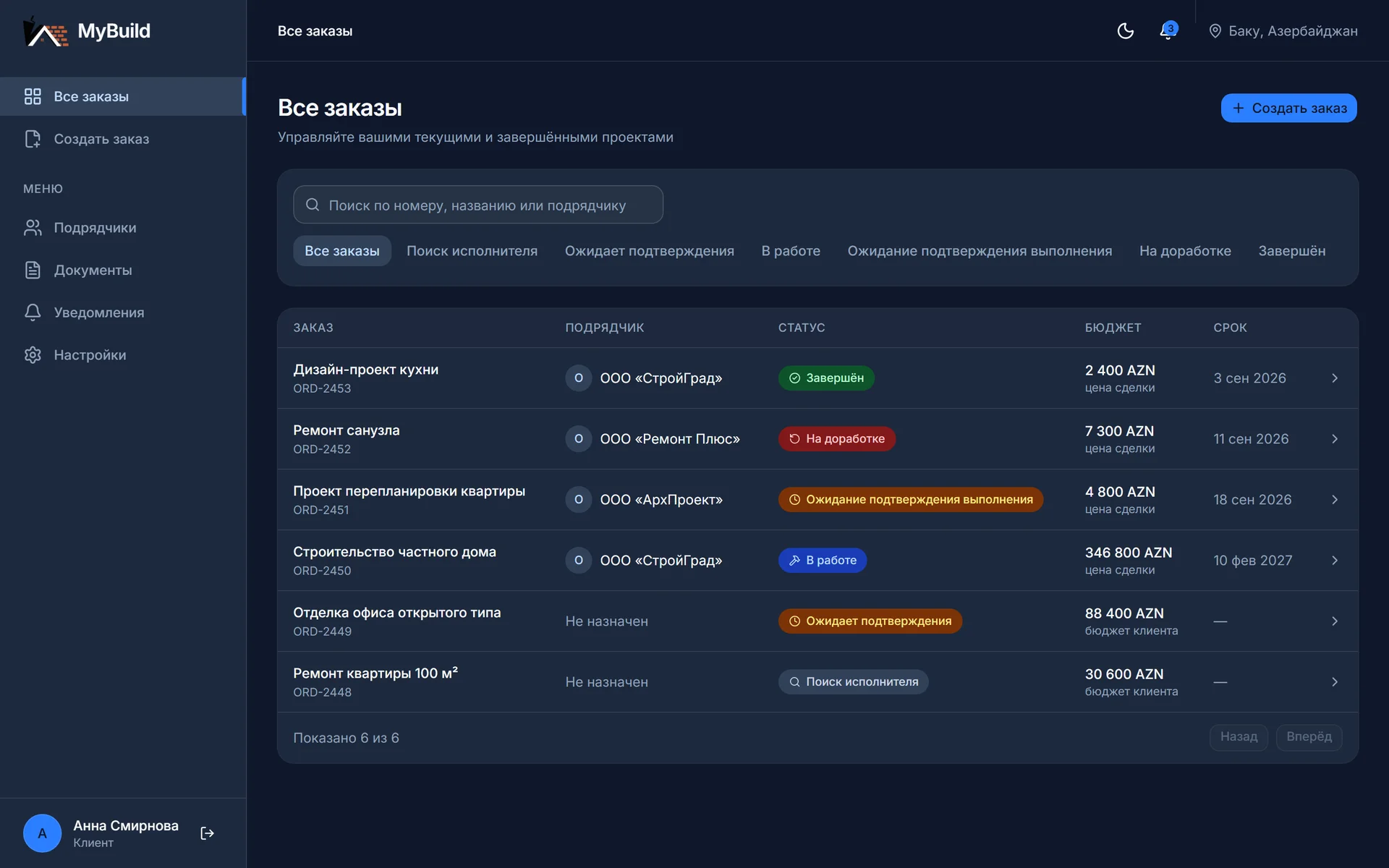
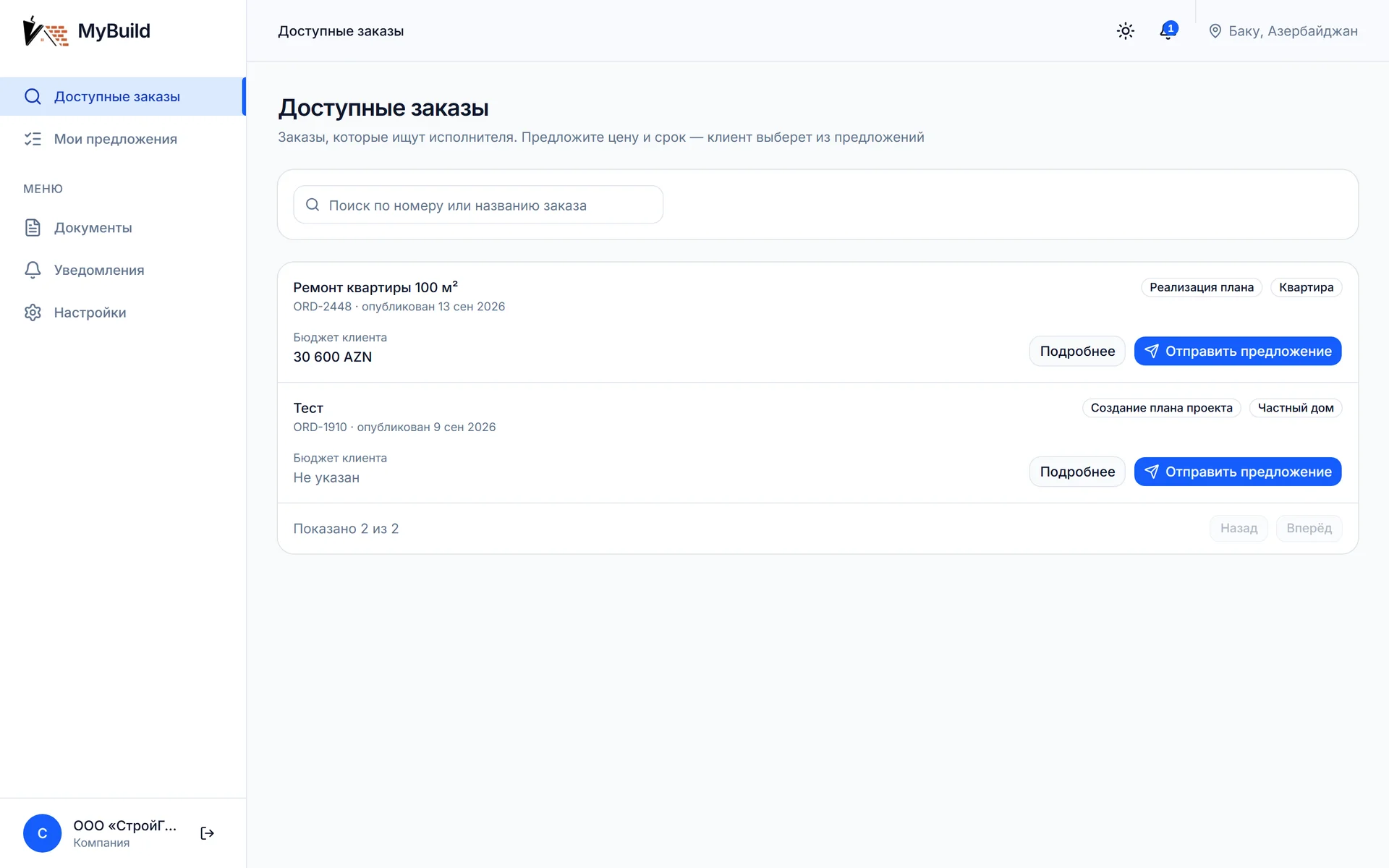
- Two dashboards in one application: the client manages their orders, the construction company sees the feed of available orders, its own bids and work submissions.
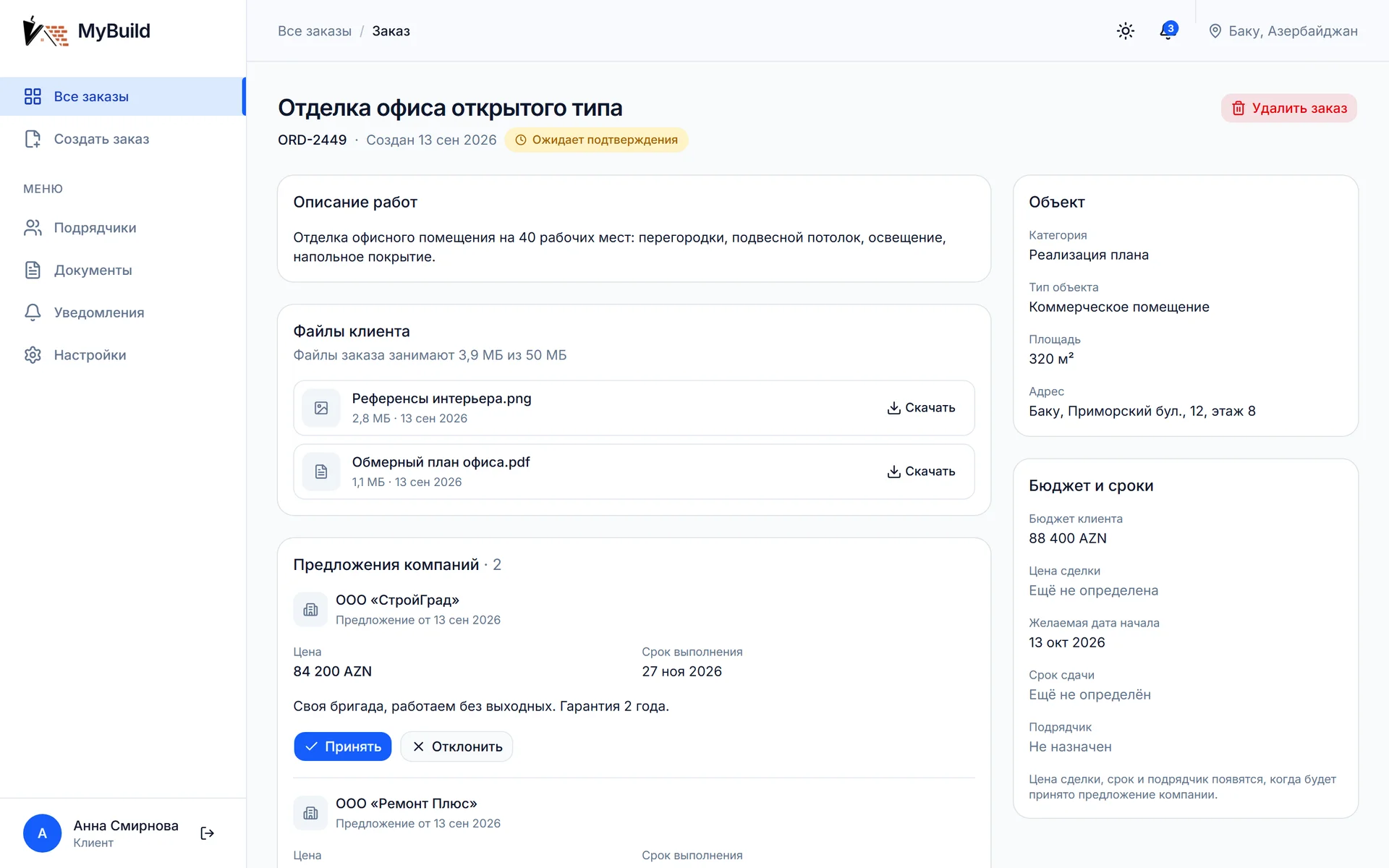
- An order form with category, property type, floor area, address, budget, preferred start date and files: drawings and plans are attached upfront, so the company prices the job from documents rather than from a verbal description.
- Bids with a price and a deadline: the client sees them side by side and picks one. The deal price and deadline are taken from the accepted bid, and the remaining bids automatically move to "not selected".
- Work submission with files and a mandatory comment, acceptance by the client, and sending the work back for revision with a new submission round. The history of every round is kept.
- Real-time updates: an action on one side appears on the other without reloading the page.
- Notifications for every event in the deal, with an unread counter.
- A contractor directory showing the number of completed orders, plus a separate Documents section with every file across every order.
- Private file storage: a download link lives for five minutes and is issued only to someone entitled to that file.
- Dark and light themes, responsive from phone to large screen.
04How the deal works
An order status cannot be set by hand. Every permitted transition is described in a single table, and any action outside it is rejected with a clear explanation. Status, bids and notifications change within one transaction, so the state of the deal cannot drift apart between the two sides.
- Looking for a contractor - the order is published, no bids yet.
- Awaiting confirmation - at least one bid has arrived, the client is choosing.
- In progress - a bid is accepted, price and deadline are fixed.
- Awaiting completion confirmation - the company has submitted the work with files and a comment.
- Under revision - the client sent the work back, the company prepares the next submission round.
- Completed - the client accepted the work.
05What an outside company sees
Privacy here is a rule built into the data itself, not a footnote. A company that is not part of the deal sees the order as "looking for a contractor", whatever its real state. It sees neither the deal price, nor other companies bids, nor the client contacts. The same rule applies in three places at once: in the server response, in the addressing of real-time events, and in file access.
06Technology
Next.js and React on the interface side, NestJS and PostgreSQL on the server side, TypeScript throughout. Real-time updates run over WebSocket; authentication and file storage are on Supabase. The shared rules of the deal live in a separate package used by both sides, so the button on screen and the check on the server are computed by one and the same function and cannot diverge.
07Timeline and cost
Four months of development, followed by acceptance testing on the client side. Project cost: 45,000 AZN, about $26,500.
08Demo
The demo is open and needs no registration: the sign-in page carries ready accounts for a client and two construction companies, and the button next to an account signs you straight in. To see the real-time updates, open the client and a company in two different browsers: an action on one side shows up on the other without a reload. The demo server sleeps when idle, so the first sign-in can take about a minute, after which everything runs at normal speed.
Tech stack