Web development
A website and a web app are different projects
Why "build us a website where the client can see their order status" is two different jobs in one sentence. How to tell them apart, the four questions settled before any code, and what the price is actually made of.
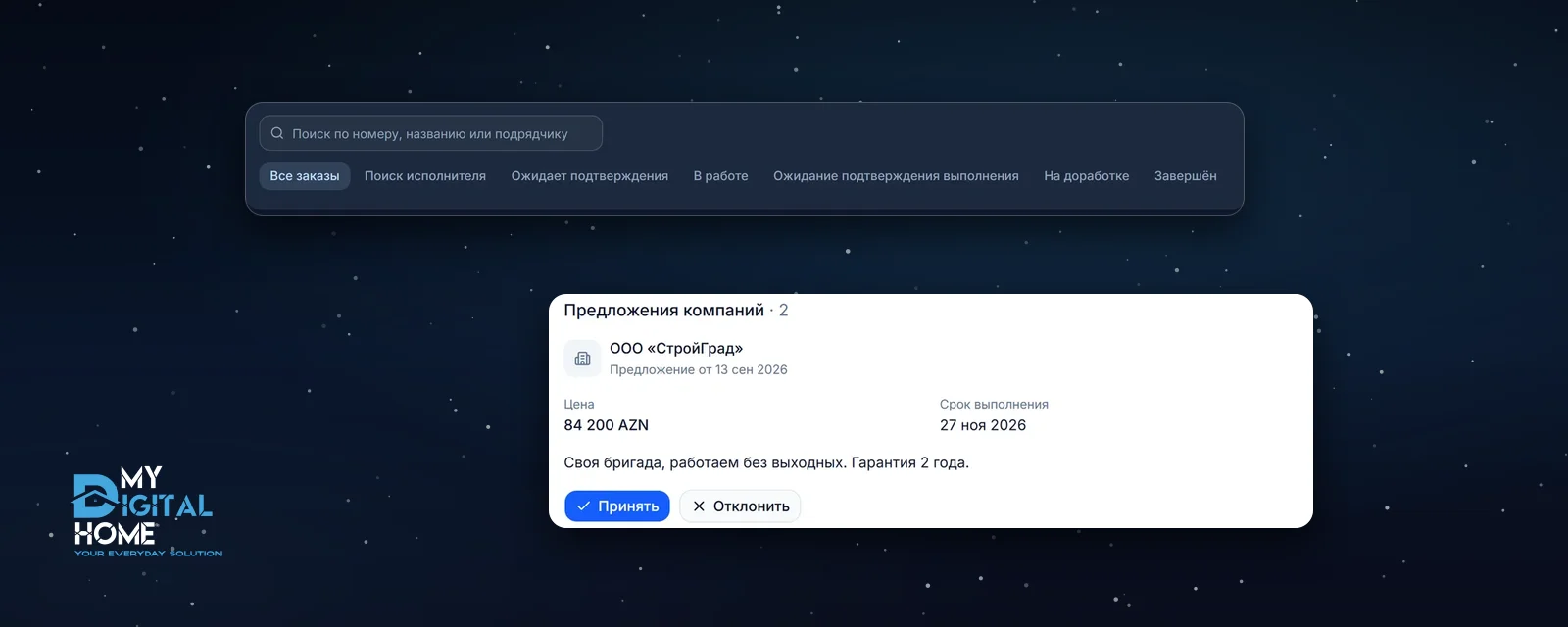
A familiar opening line at a first meeting: "we need a website so clients can send us a request and see the status of their order". That sentence holds two different projects. The first half is a website: tell people about the company and collect an enquiry. The second half is already an app: the client now has a login, the order now has a state, and somebody has to move that state along. The difference is not size or page count, and it changes the price a great deal.
01A simple test: on a website people read, in an app people work
A website can be opened without signing in, read, and closed. Its content is the same for every visitor, and the most complex action available is submitting a form. An app begins where a person gets an account of their own and data of their own inside it.
Check your future project against five signs. If three of them describe you, you are talking about an app:
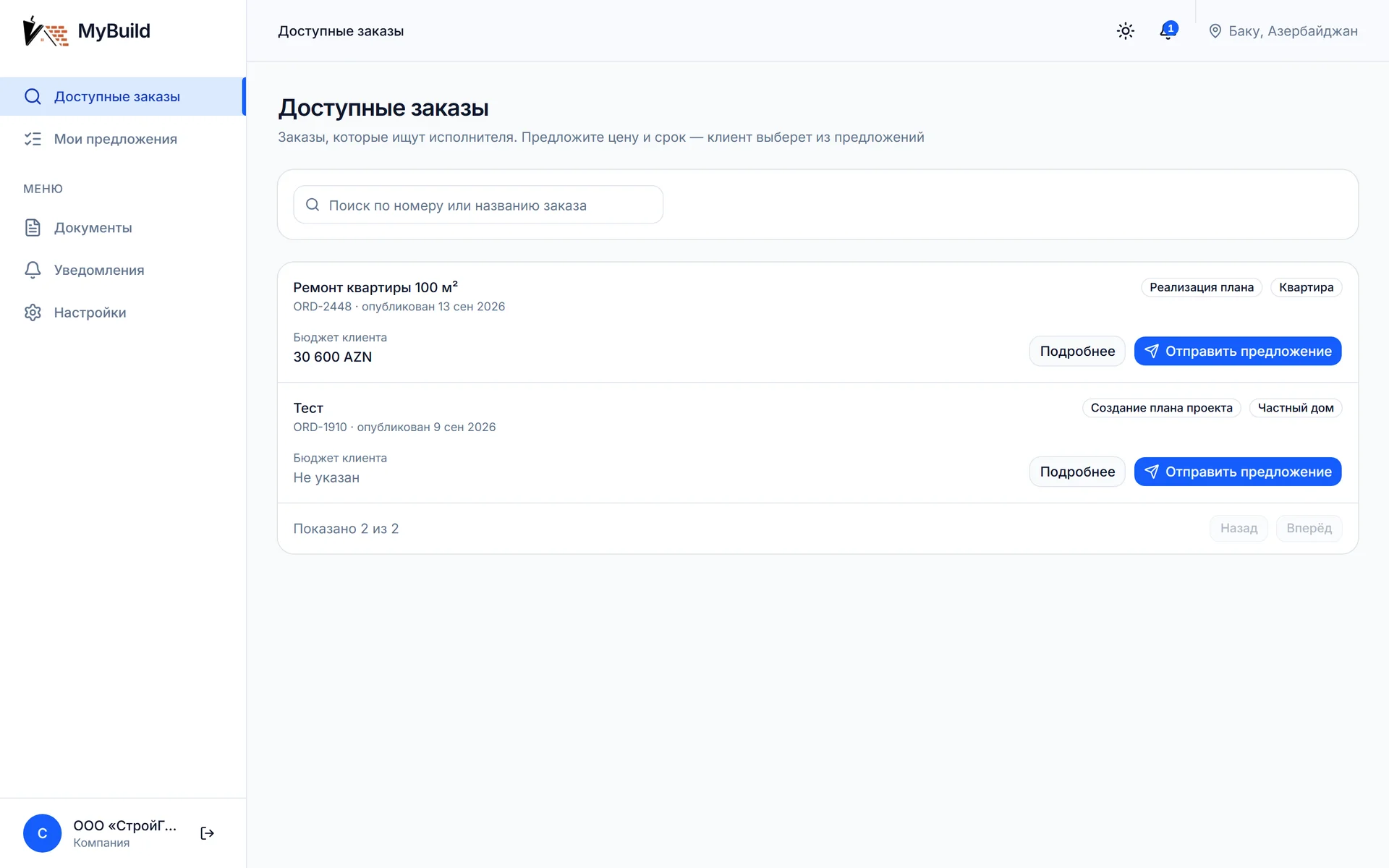
- People sign in with their own account, and what they see inside is not what everyone else sees.
- There is more than one type of user, with different screens and different rights: client, staff member, manager, administrator.
- A request, an order or a deal has states, and those states change as the work goes on.
- One person’s action changes what another person sees.
- The system holds data a given user must not see: other parties’ prices, other people’s documents, client contacts.
If none of these fit, what you need is a website, and that is good news: it is cheaper, faster and simpler to maintain.
02Four questions settled before any code
In an app almost all of the difficulty is settled in the agreements, not in the markup. We build the map before writing code and approve it with the client, because reworking it later is the most expensive thing that can happen.
- What the roles are. Not "user and admin", but an honest list: who creates the request, who carries it out, who approves it, who reads the report.
- What the states are. What happens to a request from the moment it appears until it closes, and which transitions between states are allowed and which are not.
- Who sees what. For each role: which fields are available, and which must never reach that role’s screen at all.
- What has to be connected. Payments, a bank, a delivery service, accounting, a CRM, a partner API. Every external system is a separate piece of work with its own timeline.
Those four answers are the specification. Until they exist, any cost estimate is guesswork.
03Access rights cost more than they look
The most common mistake in requirements sounds like this: "make sure a contractor cannot see another contractor’s price". In the interface that looks like one hidden line, and it gets priced accordingly. In reality what has to be hidden is not the line but the data: once the server has sent that price to the browser, it is visible in the developer tools whether or not it is drawn on screen.
The correct answer costs more: the server must not hand out anything the user has no right to, and it must behave that way in three places at once - in the response to a data request, in live updates, and in file access. It also has to be covered by automated tests, because this cannot be verified by eye: the screen looks correct either way.
04What the price is made of
For a website, price mostly follows volume: how many pages, how many languages, how elaborate the design. For an app the page count barely matters, and three other things do.
- The number of roles. Every new role means its own screens, its own rights and its own checks, not "one more button".
- The number of states and the transitions between them. Eight transitions instead of three means many times more cases to describe and to test.
- External systems. Connecting to a bank or a partner API almost always takes longer than expected: the other side runs on its own schedule.
Our published figures: a website from 3,200 AZN, a web app from 25,000 AZN. A timeline reference from a delivered project: a marketplace with two dashboards, a six-state deal, files and real-time updates took four months of development plus acceptance testing on the client side.
05When you do not need an app
More often than people assume. If a client is content to learn the status by phone or by message, and the number of requests per day is modest, then a website with a form plus a spreadsheet or an off-the-shelf CRM solves the problem for a fraction of the cost and works tomorrow rather than in several months. An app pays off where passing information between people by hand has already become the bottleneck: many requests, several parties, and mistakes that cost money.
The honest order of work is this: first we check whether a website and ready-made tools close the task. If they do, we say so.
06What it looks like in practice
It is easier to open one than to read ten definitions. Our portfolio includes the Construction marketplace case with a public demo version: no registration needed, the sign-in page carries ready accounts for the client and two companies, and the button next to an account signs you straight in. Everything described above is visible there: the roles, the order states, what an outside company does and does not see. Open the client and a company in two different browsers, and an action on one side shows up on the other without a page reload.
More articles
- Analytics What Google Search Console shows - and what it does not Three sites in Search Console: the average position is roughly the same for all of them, while the share of clicks differs several times over. Screenshots of the reports, and what these numbers do and do not prove.
- Web development Why write it yourself when Django can do it all for you? Why Django is the choice for a fast, secure launch: data protection, scalability, and saved resources.
- Mobile development React Native: how to build an app while your coffee is still hot One codebase for iOS and Android, fast time to market, and near-native performance - why Facebook, Instagram, and Airbnb choose it.